Security and credential handling
Tempkey asks small businesses to hand over admin API credentials. Here's exactly what happens to them, hosted where, and what to do if you find a problem.
Architecture and data flow
A provider admin token you paste is submitted once over TLS, encrypted server-side with AWS KMS, and stored — it is never returned to any screen, never logged, and never emailed. When a grant is created, extended, or revoked, the backend calls the provider's API directly using that stored, encrypted credential; your browser never talks to the provider directly and never sees the token again after submission.
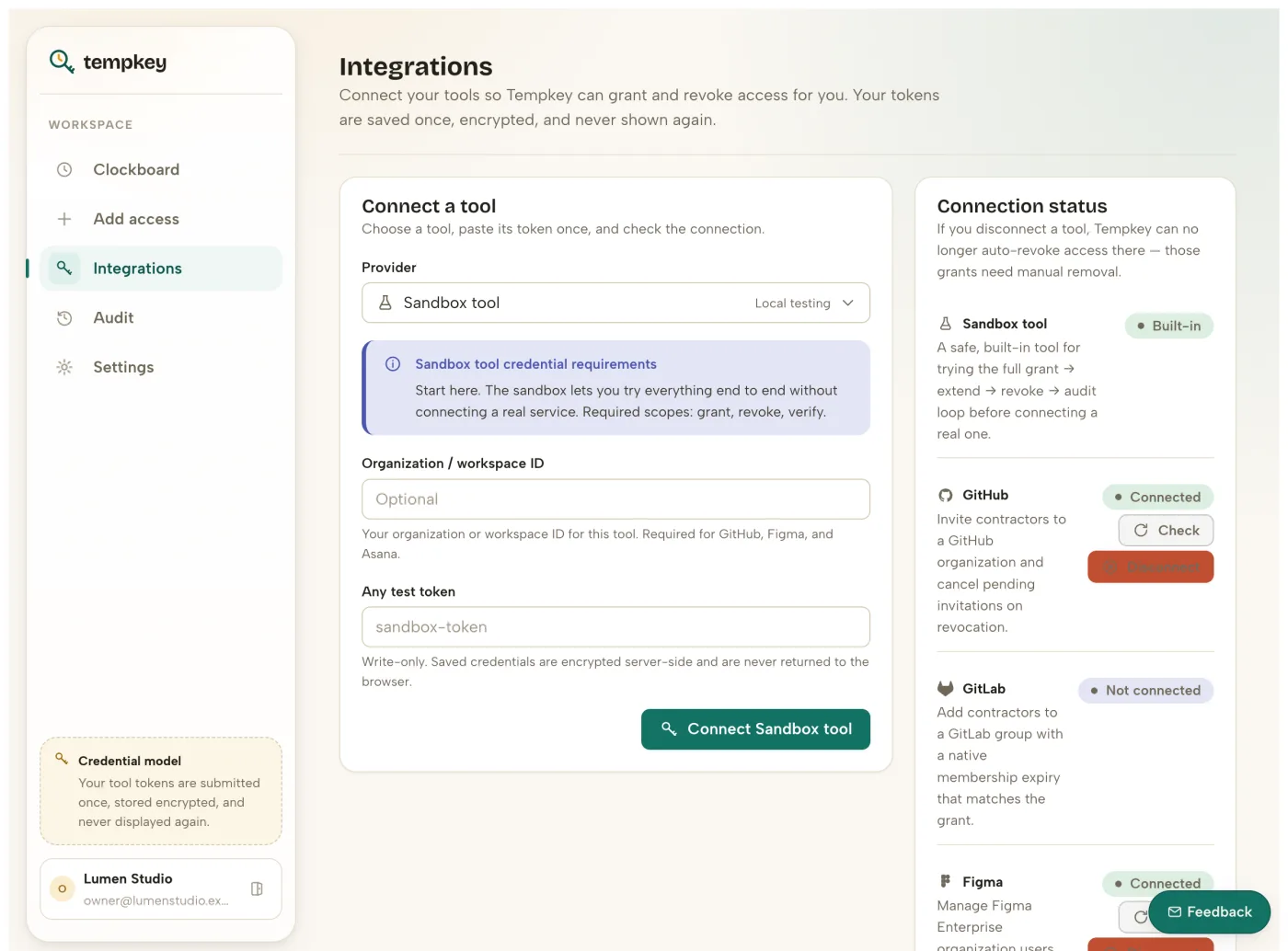
Write-only provider secrets
Credential values are submitted once, encrypted server-side with AWS KMS, and never returned to the UI or included in any export.
Least-privilege guidance
Every integration screen explains required scopes before the owner pastes a token — and the full scope list for every provider is public below, so you can review it before you have an account.
Audit-first product surface
Grant, extension, integration, revocation, and failure events are exportable as CSV or PDF on every plan.
Passwordless by default
Sign-in uses single-use magic links and WebAuthn/passkeys for hardware-backed logins. No passwords are ever stored.
Append-only audit trail
Grant, revoke, extension, and integration events are appended, not edited — the export you send a client matches what actually happened.
Failures are flagged, never silent
Revocations run through a durable queue with a dead-letter queue and monitoring alarms behind it. A revoke that can't complete is retried, then surfaced in your dashboard and audit log — never dropped or marked done by mistake.
Hosting and data residency
Tempkey runs on Amazon Web Services (AWS), primarily in the us-east-1 (N. Virginia) region. We don't currently offer a choice of hosting region.
Subprocessors
Everyone with any access to workspace, contractor, or credential data, and what they're used for. We'll update this list if it changes.
Amazon Web Services (AWS)
Hosting, database (DynamoDB), credential encryption (KMS), revocation queue (SQS), and transactional email (SES).
Stripe
Billing, subscription management, and payment processing for paid plans.
Third-party email newsletter provider
Blog subscriber list only — never workspace, contractor, or credential data.
Retention and deletion
Audit history is retained 30 days on Free, 90 on Team, and 180 on Business, exportable as CSV/PDF at any time on every plan. Integration credentials are deleted the moment you disconnect a provider or close your workspace. Account and workspace data is kept while your workspace is active, plus a limited period afterward for legal and audit purposes — see the privacy policy for the full breakdown.
Availability
We don't yet operate a public status page. If a provider's API is down when a scheduled revocation runs, the job retries automatically and, if it still can't complete, is flagged in your dashboard and audit log rather than silently dropped or marked done — see "Failures are flagged, never silent" above. Email hello@tempkey.io if you suspect an outage on our side.
Compliance
We are not currently SOC 2 or ISO 27001 certified, and we have not yet completed a third-party penetration test. Formal review is on our roadmap as we grow — we'd rather tell you that plainly than stay quiet about it. Email hello@tempkey.io to ask about our current posture or request a copy of our data processing terms.
Reporting a vulnerability
Email hello@tempkey.io with the subject line "Security" and we'll respond. A machine-readable version of this contact is published at /.well-known/security.txt per RFC 9116.
Required scopes per provider
The exact scopes Tempkey requests for every supported provider — reviewable before you sign up, not just after.
| Provider | Enforcement | Scopes requested |
|---|---|---|
| GitHub | Native API | admin:org |
| GitLab | Native API | api |
| Figma | Native SCIM | scim.users.write, scim.users.read |
| Dropbox | Native API | team_info.read, members.read, members.write |
| Asana | Native API | workspace.user:write, workspace.user:read |
| Slack | Native API — on supported plans | users:read, users:read.email, admin |
| Google Workspace | Native API | admin.directory.user |
| Microsoft 365 | Native API | User.Invite.All, User.ReadWrite.All |
| Zoom | Native API | user:write:admin, user:read:admin |
| AWS IAM | Native API | iam:CreateUser, iam:DeleteUser, iam:ListAccessKeys, iam:UpdateAccessKey, iam:DeleteAccessKey |
| Notion | Limited native | workspace.read |
| Trello | Limited native | read, write |